
Online Festival
The International Ocean Film Festival
Online Program
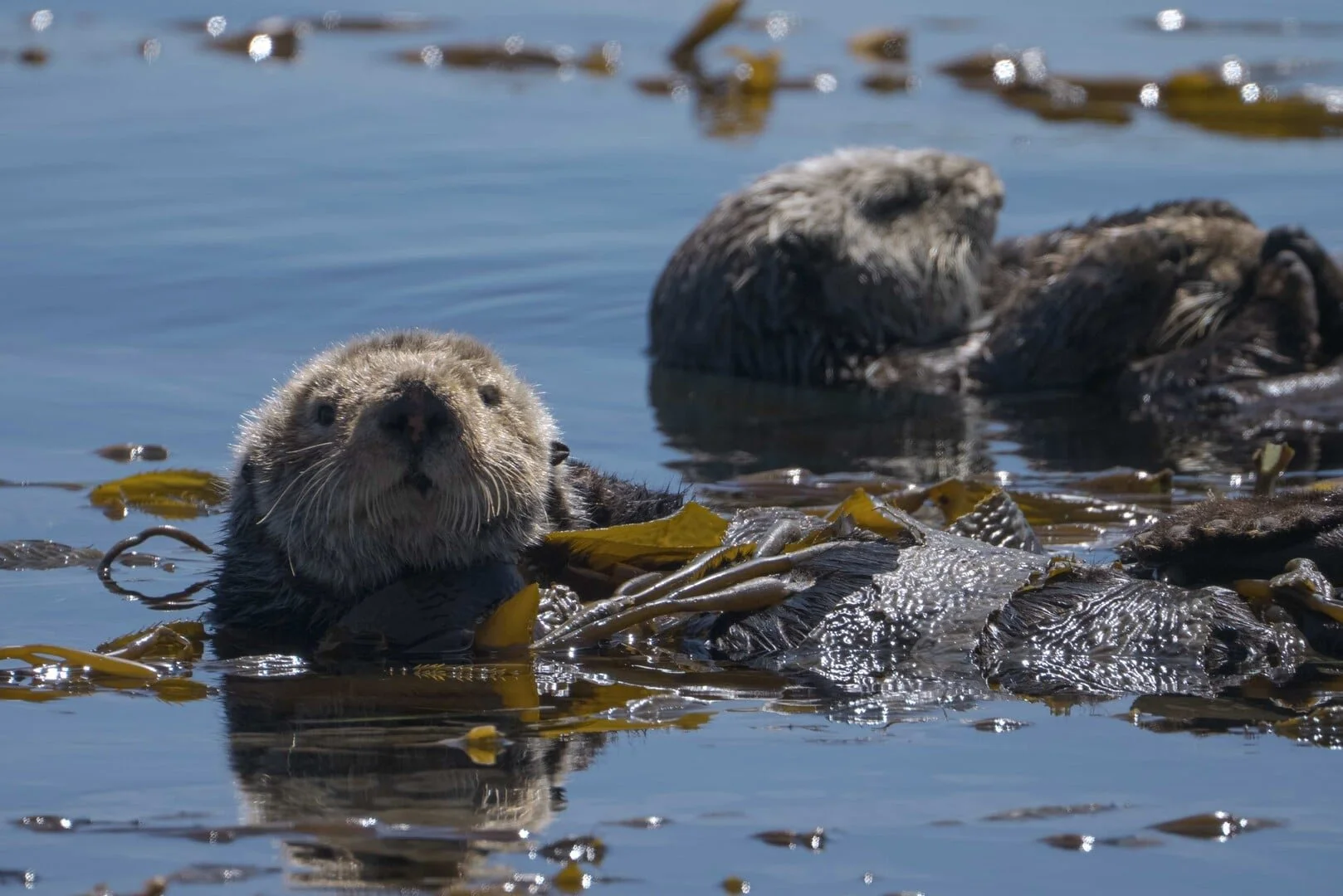
The International Ocean Film Festival Online Program brings the festival experience to audiences everywhere, offering a curated selection of award winning and official selection films from around the world available for streaming for a limited time. The online program showcases powerful stories that celebrate the ocean, highlight marine life and coastal cultures, and explore the urgent environmental challenges facing our blue planet today.
Through breathtaking cinematography, compelling storytelling, and diverse global perspectives, the films in the online festival are designed to educate, inspire, and motivate audiences to learn more about the ocean and become part of the solution to protect it. Film categories include ocean adventure, marine wildlife, ocean sports, coastal cultures, science, conservation, and environmental films.
Whether you are joining from across the country or across the world, the International Ocean Film Festival Online Program offers a unique opportunity to experience inspiring ocean stories and connect with a global community dedicated to ocean education, conservation, and storytelling.



ONLINE FILM PROGRAM FAQS:
How long do I have to watch a film?
Once you’ve unlocked your film, you will have until April 28 at 11:00 PM PDT to begin watching your film. Once you have clicked “Watch now” on any film or program, you will have 14 days to finish your film. This is to prevent users from sharing login information.
Can I watch films outside of the United States?
You bet! The only programs that are geo-blocked to the United States is our CineMare Program and our Special Screening featuring the film All Inclusive.
How do I find a film I unlocked or pre-ordered?
Check your inbox to find the email confirmation and click “watch now”. Or login to your Eventive account, hit the account icon in the top right and go to “My content library”. From here, you will be able to see all films that you’ve unlocked or pre-ordered.
I have not received an email confirmation from Eventive for my pass or ticket purchase, how do I access my selections?
Eventive will automatically send an email with your pass/ticket confirmation to the email address you used to create an account. If you did not receive it, please check your email spam folder. If you’re still unable to to find the email, try logging into your Eventive account with your email address here: https://intloceanfilmfest2022.eventive.org/login. If you’re still having trouble, please contact us.
How do I redeem my discount code?
Find the film you would like to watch or pass you would like to activate and click “Unlock Now” (films) or “Buy” (passes). From here, input your discount code where it says “Have a discount code?”. The cost will adjust based on your discount. Proceed to login to Eventive or create an account if you have not already done so.
How to select a film:
There are two ways to browse our film collection and select the films you wish to watch - through the film guide on our website or on our virtual film festival platform.
using the film guide
Head to the Online Film Program page on our website: https://2026ioff.eventive.org/welcome
Click on the “Film Guide” button.
When you see a film that you would like to learn more about, click on the movie poster to watch the trailer and/or read about the film details.
If you’d like to view the film click on “Select Showing” and “Watch now in our online film progrm”. From here, you will be taken to our online film program platform to purchase or unlock the film you’ve selected.
using the Online Film Program platform:
Head to our virtual film festival platform: https://watch.eventive.org/2026ioff
From here, you can browse through our feature films, themed programs & shorts program.
MAKING YOUR SELECTION:
You can purchase an individual ticket to any film/program through the virtual film festival platform, or you can redeem & unlock them with a pass you’ve purchased.
UNLOCKING FILMS:
Once you’ve selected a film or program you’d like to view, hit “Unlock Now”.
If you haven’t created an Eventive account, you will need to do so in order to confirm the purchase. If you do have an Eventive account, you will need to enter your credit card information or confirm the one on file is the one you’d like to use for the purchase. If you’ve purchased a pass you will not need to enter in any information.
If you’d like to purchase a film to watch at a later date, you can access your films by navigating to the account icon in the top right and selecting “My content library”. You will have until April 28 at 11:00 PM PDT to begin watching these films.
Once you are ready to watch, hit “Watch Now”. You will have 14 days to continue watching the film or the other films included in a program.
How to use your festival pass:
purchasing your pass:
Head to our Festival Passes page: https://2026ioff.eventive.org/passes/buy
Select your preferred pass. You will need to create an Eventive account if you have not already done so. You will receive an email confirmation once you have placed your order.
managing your pass
Login to your Eventive account here: https://2026ioff.eventive.org/login
View your passes by clicking the pass icon in the upper right corner
If you see “Details Needed” in red next to your pass, click “Edit Details” to fill in your information
Once all your pass information has been entered, you are ready to begin watching films. Click “Watch Films Here!” to begin browsing films.
Click “unlock now” when you’ve selected which film/program you’d like to watch. If the film/program is eligible with the pass you’ve purchased you will not need to enter any additional information and you’ll be ready to watch.
transferring passes
If you have multiple passes in your account, you can assign them to different people by clicking the gear icon to the right and clicking “Transfer Pass”. Enter the email information of the recipient and submit the form. They will receive an email with a link that will allow them to accept the pass, at which point it will be added to their account and disappear from yours. The recipient will then need to follow the steps in order to activate their own Eventive account.
how to watch a film:
In addition to watching the films from your computer, there are also a few options on how to watch from your TVs. Here’s how to watch films on our virtual platform from your computer:
Go to the IOFF Virtual Festival here: https://watch.eventive.org/2026ioff
Login or create an Eventive account from the menu in the top right corner.
Click on the “Film Catalog” button in the tab at the top where you will see all of the feature films, special screenings and programs.
Select the film or program you want to watch and unlock it using your festival pass or by purchasing an individual ticket.
Hit “Unlock Now” to begin playing a film.
Here are some ways you can connect your computer devise to your TV to watch on the bigger screen:
Direct connection: computer to tv
An easy way to watch the IOFF films on your TV is by connecting it to your device via an HDMI cable. Here is a guide on how to connect an HDMI cable to your computer.
Apple tv
*Available only for Apple TV models Generation 4 and higher.
From your Apple TV device, launch the App Store.
Search for and download the Eventive TV app.
Once the app is installed, it will ask you for a code to connect to your Eventive account. On your computer, navigate to the IOFF virtual film festival: https://watch.eventive.org/2026ioff. Login at the icon in the upper right-hand corner.
From the same login menu button, select TV app setup and enter the code you see on your Apple TV device.
Please note that you will not be able to purchase films from the TV app. You will need to select and unlock your films from your computer in order for them to be available on the TV app.
*Livestreams are currently not available via the TV app. You can AirPlay them from another devise to your TV.
Roku (beta version)
*The Eventive app for Roku is in Beta version and changes may be made to the app at any point.
From your computer, tablet or smartphone, add the Eventive channel to your TV by going here: https://my.roku.com/add/6MHHHM2. The channel is not currently available in the Roku app store, you must add it by visiting the website.
Click “OK” when the BETA version pop-up comes up.
Click “Yes, add channel” to add Eventive TV - BETA to your account.
Check your TV to see if the Eventive app has been added. Select the app with your TV remote to bring up the International Ocean Film Festival program on the app.
Once the app is installed, on your computer, tablet or smartphone, navigate to https://watch.eventive.org/2026ioff and login in the upper right corner.
Note: you must first unlock programs on your computer, tablet or smartphone to be able to watch them on your Roku.
Chromecast
Stream directly from a tab in the Chrome internet browser to a TV connected to a Chromecast device from your Mac or PC computer. Note: At this time, Chromecast is not available to cast from Apple iOS devices, like the iPhone and iPad. Once your Chromecast is set up you can stream directly from your computer.
On the video page, open the Chrome menu in the upper right corner of the window (or the View menu) and select Cast. Make sure the tab you want to be displayed is the one you are selecting to cast.
Select your Chromecast source (consider selecting Chrome tab) and your Chromecast destination. Chromecast will then be connected and video will be playing on your TV.
To disconnect from Chromecast, click the blue Stop icon next to your casting destination.
If there are any issues with the Chromecast stream, try setting the video to a lower quality.
Still having trouble? Here's a guide on how to use Chromecast from your computer.
Get Involved
Since 2004, the International Ocean Film Foundation (IOFF) has been recognized around the world as the premier ocean-themed film festival for its compelling, inspiring, and thought-provoking independent films.
As a nonprofit arts organization, IOFF relies on the loyalty, passion, and financial contributions of our donors to present three days of special events and the best independent ocean-inspired films from around the world. We couldn’t make it happen without your support!


